
What Does Drupal 10 End of Life Mean?
Software end-of-life (EOL) refers to the point when a software version reaches the end of its official maintenance and support period.
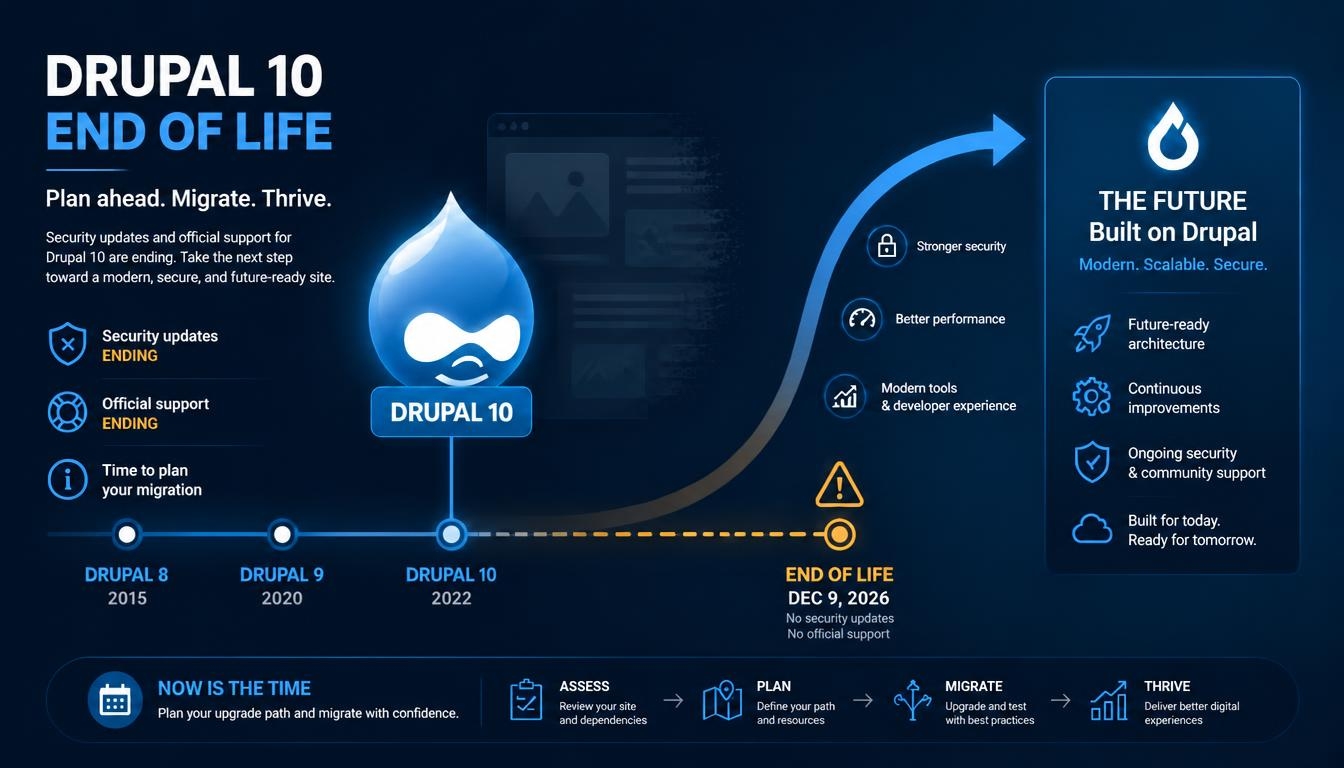
For Drupal 10, the scheduled end-of-life date is December 9, 2026.
After this date:
- No new Drupal 10 core releases will be published.
- Official Drupal 10 security advisories will no longer result in new Drupal 10 security releases.
- New bugs and compatibility issues will not receive normal maintenance fixes for the unsupported branch.
- Organizations will need to manage the risks of remaining on an unsupported version.
An important distinction is that a Drupal 10 website will not automatically stop working on December 9. Its pages, databases, modules, and existing functionality may continue operating.
The concern is that newly discovered vulnerabilities and software compatibility issues will no longer receive official fixes for Drupal 10.
This can create security and operational risks, particularly for websites that process customer information, manage user accounts, accept payments, or support important business operations.
Drupal 10 Release Lifecycle and Security Support
Drupal follows a structured release cycle. Its supported versions receive bug fixes and security updates according to the project’s release policies.
Drupal 10.6 is the final minor release in the Drupal 10 series.
Not every Drupal 10 minor version has the same support status. Earlier minor branches reach end-of-life before the entire major version does.
This means organizations should not assume that every Drupal 10 installation is currently receiving security updates.
Before planning an upgrade, website administrators should identify their exact Drupal core version and verify its current support status against the official Drupal release schedule.
For organizations still using older Drupal 10 minor releases, updating to the supported branch is an immediate maintenance priority. However, this should be treated as an interim step rather than a replacement for the Drupal 11 upgrade plan.
How Drupal Security Releases Work
Security releases are an essential part of the Drupal ecosystem. They address vulnerabilities that could affect websites and applications running Drupal.
The Drupal Security Team coordinates the disclosure and release process. When a security issue is confirmed, the team publishes a security advisory explaining the affected software and the recommended action.
Security releases may address issues involving:
- Unauthorized access
- Cross-site scripting (XSS)
- SQL injection
- Access control weaknesses
- Authentication vulnerabilities
- Security problems in contributed modules
- Vulnerabilities in third-party dependencies
Website administrators should monitor official security announcements and apply relevant updates as soon as practical.
What Happens When Drupal 10 Reaches End of Life?
Before its end-of-life date, Drupal 10’s supported branch can receive official security releases when vulnerabilities are identified.
After December 9, 2026, organizations should not expect new official Drupal 10 core security releases.
If a new vulnerability affects an unsupported Drupal 10 installation, the organization may need to investigate mitigation options, apply custom patches where appropriate, or prioritize migration to a supported release.
Third-party vendors may offer separate maintenance arrangements, but these should not be confused with official Drupal project support.
For businesses operating important websites, depending on unsupported software is not a sustainable long-term security strategy.
Why Organizations Should Plan Their Drupal 11 Upgrade
Drupal 11 provides the supported path forward for organizations currently running Drupal 10.
However, upgrading a production website requires more than changing the core version number. Existing modules, themes, custom code, hosting infrastructure, and external integrations must all be considered.
Some of the main reasons to plan the upgrade include:
Continued Security Support
Moving to a supported Drupal version allows organizations to continue receiving security updates under the project’s release policy.
Better Long-Term Maintainability
Keeping the website on a supported version makes future maintenance, dependency updates, and development work easier to manage.
Compatibility With Modern Technologies
Newer Drupal versions have updated platform requirements and dependencies. Planning the upgrade helps organizations maintain compatibility with supported PHP versions and other infrastructure components.
Reduced Technical Debt
An upgrade provides an opportunity to review outdated modules, remove unused functionality, replace deprecated APIs, and improve custom code.
More Predictable Future Upgrades
Keeping core and contributed projects updated regularly can make future major-version upgrades less complicated.
How to Prepare a Drupal 10 Website for Drupal 11
A successful upgrade begins with a technical assessment of the existing website.
The following steps provide a practical approach.
1. Check the Current Drupal Version
Start by identifying the exact Drupal core version and reviewing the website’s current maintenance status.
Check whether the website is running Drupal 10.6 or an earlier minor version.
2. Review Contributed Modules and Themes
Not every contributed module or theme is automatically compatible with Drupal 11.
Review installed extensions and identify:
- Modules with Drupal 11-compatible releases
- Modules that require updates
- Abandoned or unsupported projects
- Modules that have been replaced or removed
- Custom patches that may need to be reconsidered
The Upgrade Status module can help identify compatibility issues.
3. Review Custom Code
Custom modules and themes may use deprecated APIs that need to be updated before moving to Drupal 11.
Drupal Rector and other development tools can help identify and address certain deprecated-code patterns.
However, automated code changes should always be reviewed and tested.
4. Verify Server Requirements
Drupal 11 has updated platform requirements.
For example, the official upgrade documentation specifies PHP 8.3 or later for Drupal 11.
The development team should also review database compatibility, Composer, Drush, web server configuration, and other infrastructure requirements.
5. Test the Upgrade Before Production
Perform the upgrade in a development or staging environment first.
Check important website functionality, including:
- User registration and authentication
- Content creation and editing
- Forms and workflows
- Search functionality
- E-commerce and payment integrations
- Custom modules and APIs
- Third-party integrations
- Performance and caching
Only deploy the upgrade after the required tests have passed.
Automating Drupal Security Updates and Maintenance
Regular Drupal maintenance involves several repetitive tasks. These include checking for new releases, reviewing dependencies, applying updates, testing changes, and deploying them to production.
A structured automation process can reduce manual effort and improve consistency.
However, automation should not mean applying every available update directly to a live website without verification.
A safer approach combines automated monitoring, controlled updates, testing, and deployment approvals.
1. Automated Security Advisory Monitoring
The first step is identifying security updates as soon as they are announced.
Development teams can monitor official Drupal security advisories through:
- Drupal.org security announcements
- Drupal security RSS feeds
- Composer dependency monitoring
- Automated repository notifications
- Project management and issue-tracking integrations
When a relevant security advisory is published, an automated workflow can notify the responsible development team and create a maintenance task.
This helps reduce the time between the publication of a security update and the team’s response.
2. Composer-Based Dependency Updates
Drupal projects commonly use Composer to manage core, contributed modules, themes, and PHP dependencies.
Composer makes dependency management more structured and repeatable.
For example, a development team can use commands such as:
composer outdated "drupal/*"This helps identify Drupal-related packages with newer available versions.
Core updates can be tested using:
composer update "drupal/core-*" --with-all-dependencies --dry-runAfter reviewing the proposed changes, the update can be applied in a controlled development environment.
The exact Composer command depends on the project’s dependency configuration and update strategy.
3. Automated Testing With CI/CD Pipelines
Continuous Integration and Continuous Deployment (CI/CD) pipelines can automate important maintenance checks.
A typical workflow may include:
- A developer creates an update branch.
- Composer dependencies are updated.
- Automated code quality checks run.
- PHPUnit or other relevant automated tests execute.
- Functional tests verify important website workflows.
- A staging deployment is created.
- The team reviews the results and approves production deployment.
This process makes updates more consistent and helps identify problems before they reach the live website.
4. Automated Backup and Rollback Preparation
Before applying important updates, the system should create appropriate backups of the database and required files.
A deployment workflow should also define how to recover if an update causes unexpected problems.
This may include:
- Database backups
- Code version control
- Deployment release history
- Configuration backups
- Documented rollback procedures
A backup is only useful if it can be restored successfully. Restoration procedures should be tested periodically.
5. Automated Website Health Monitoring
After an update or deployment, automated monitoring can help verify that the website is operating normally.
Monitoring can include:
- Website availability checks
- HTTP response monitoring
- Application error logs
- Database connectivity
- Cron execution
- Critical page and form checks
- Performance monitoring
If an important check fails, the system can notify the development team for investigation.
What Can and Cannot Be Fully Automated?
It is important to distinguish routine maintenance automation from a major Drupal version upgrade.
| Maintenance activity | Automation potential |
|---|---|
| Security advisory monitoring | High |
| Dependency update notifications | High |
| Composer update checks | High |
| Code quality checks | High |
| Automated testing | High, depending on test coverage |
| Database backups | High |
| Staging deployments | High |
| Production deployment | Automatable with approval controls |
| Custom code compatibility review | Partially automated |
| Major Drupal version upgrade | Requires technical review and testing |
| Complex functional verification | Requires appropriate automated tests and human review |
Automation is most effective when combined with developer oversight.
A system can identify outdated dependencies and run tests, but it cannot reliably determine whether every business-specific workflow still behaves as expected without suitable test coverage.
A Practical Automated Drupal Maintenance Workflow
Organizations can establish a repeatable process that combines security monitoring, dependency management, testing, and deployment.
A typical workflow looks like this:
Step 1: Monitor
Check official Drupal security announcements and dependency updates.
Step 2: Identify
Determine which websites, core versions, modules, and libraries are affected.
Step 3: Update
Create an update branch and apply the required Composer changes.
Step 4: Test
Run automated tests, code quality checks, and application health checks.
Step 5: Deploy to Staging
Deploy the updated code to a staging environment for additional verification.
Step 6: Approve
Review the changes and obtain the necessary approval for production deployment.
Step 7: Deploy and Monitor
Release the update to production, verify critical functionality, and monitor application health.
This workflow can be implemented using Git-based repositories, Composer, Drush, CI/CD platforms, automated testing tools, and monitoring services.
Drupal 10 to Drupal 11: Why Automation Alone Is Not Enough
A Drupal 10 to Drupal 11 upgrade is a major-version transition. It requires additional preparation compared with applying a routine security update.
The official Drupal upgrade documentation recommends starting with a compatible Drupal 10 source version, reviewing contributed extensions, resolving deprecated code, and checking platform requirements.
Some modules may have no Drupal 11-compatible release. Others may require replacement, custom changes, or additional development.
For this reason, a completely unattended major-version upgrade is not recommended for a business-critical website.
Automation can help with repetitive tasks such as dependency checks, code analysis, testing, and deployment. Developers still need to review compatibility issues and validate the website’s actual functionality.
A planned upgrade process is generally safer than waiting until the existing version reaches end-of-life.
How Xenixsoft Can Help With Drupal Maintenance and Upgrades
Maintaining a Drupal website requires continuous attention to security, compatibility, performance, and application functionality.
For organizations operating Drupal-based platforms, a structured maintenance approach can help reduce technical risks and avoid unexpected disruption.
Development support may include:
- Drupal 10 to Drupal 11 upgrade planning
- Drupal core and contributed module updates
- Custom module and theme compatibility
- Composer-based dependency management
- Security update monitoring
- Automated testing and deployment workflows
- Website backups and maintenance
- Performance and application health monitoring
The objective is not simply to move a website to a newer version. It is to establish a maintainable technical foundation that supports ongoing updates and future development.
Conclusion
Drupal 10’s end-of-life date is an important milestone for organizations that depend on the platform. With official support scheduled to end on December 9, 2026, businesses should review their current installations and plan their move to Drupal 11.
Security updates and routine maintenance should also become part of a structured development process. Monitoring advisories, managing Composer dependencies, running automated tests, and using controlled deployment pipelines can make ongoing maintenance more reliable.
Automation cannot replace technical assessment or proper upgrade testing, particularly during a major-version transition. However, it can reduce repetitive work, improve visibility, and help development teams respond to maintenance requirements more consistently.
The best approach is to combine a planned Drupal upgrade with an automated maintenance workflow, ensuring that websites remain secure, maintainable, and ready for future changes.